You need a new collection. In most systems that means writing a migration, touching the database, deploying. In RustyCMS you drop a JSON5 file into types/. The watcher picks it up, and from then on the collection exists — REST endpoints, admin form, validation. Change a field and it applies immediately.
One file, one collection
// types/blog_post.json5
{
  name: "blog_post",
  strict: true,
  fields: {
    title:      { type: "string", required: true, maxLength: 200 },
    body:       { type: "content", format: "markdown", required: true },
    tags:       { type: "array", items: { type: "string" } },
    author:     { type: "reference", collection: "person" },
    published:  { type: "boolean", default: false },
    created_at: { type: "datetime", auto: true, readonly: true },
  }
}
Field types: string, number, integer, boolean, datetime, array, object, reference (polymorphic across several collections if needed), referenceOrInline, multiSelect with enum, image and file with a MIME whitelist. Text gets type: "content" with a format of markdown, richtext, html or plain — that decides editor and rendering. HTML is sanitized on save: no <script>, no on* handlers, unless you deliberately loosen it.
Fields that only appear when they’re needed
showIf shows a field in the admin form when a sibling field has a certain value — the date only for type: "event", the teaser for everything else. Editors see only what belongs to the chosen type. API and validation are untouched; the field is always stored.
date: { type: "datetime", showIf: { field: "type", eq: "event" } },Define once, use everywhere
A schema with reusable: true is a partial: layout options, SEO fields, an address block. Any other schema pulls it into an object field via useFields. extends inherits whole schemas, one or several; pick, omit and partial trim the result. strict: true rejects unknown fields on write instead of silently carrying them along.
Validation that doesn’t wait for the frontend
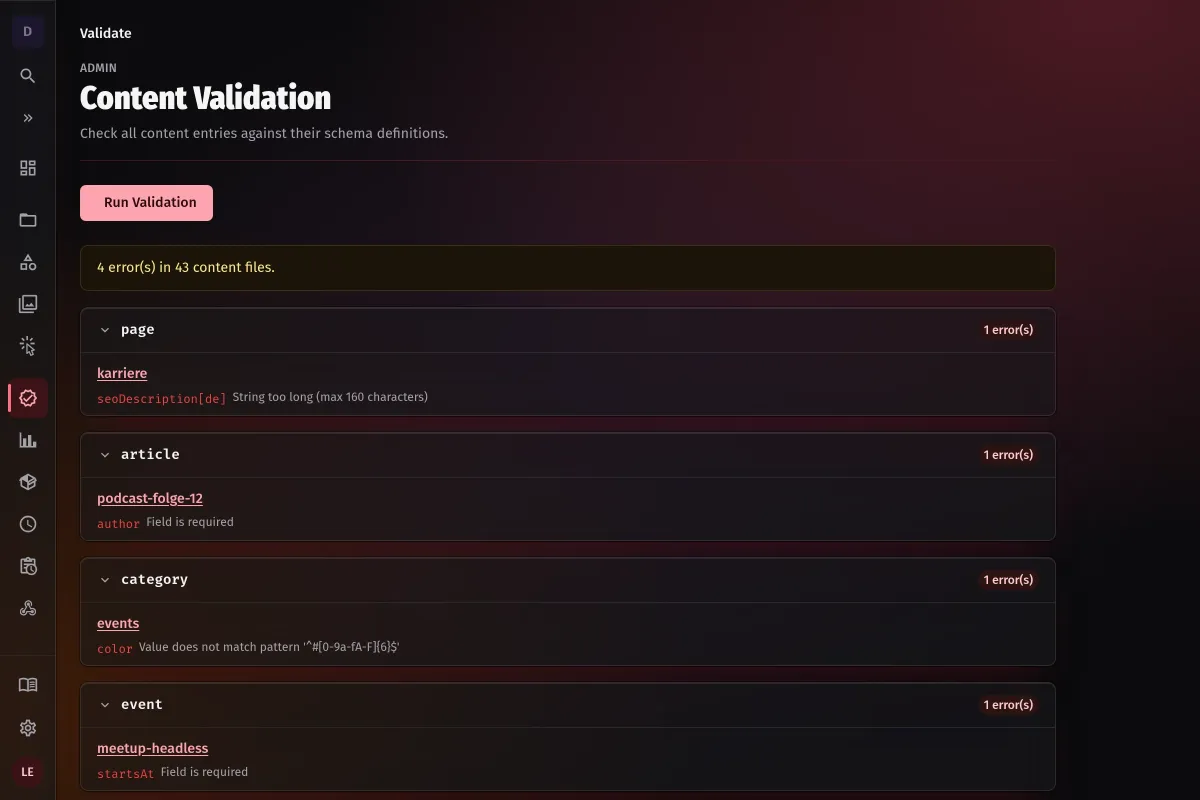
required, min/max, minLength/maxLength, pattern, enum, unique, minItems/maxItems — nested down into array items. Checked in three places: on write through the API, via the validate CLI with no server running (exit code 1 on errors, so it fits into CI), and in the admin UI, where every failing entry links straight to its editor.
validate --content-dir ./content --collections post,pageAutocomplete in your editor
One export writes a JSON Schema file per content type. VS Code or Cursor then check content files as you type — required fields, enum values, length limits as squiggles before anything is saved.
What doesn’t happen
A schema change never rewrites existing entries. Renaming or deleting a field is a migration — deliberately separate, so no edit to one file silently alters content.